
What Is Cold Sublimation Transfer Printing?
Cold Sublimation Transfer Printing is a heat-based method for transferring dye onto compatible materials, most commonly polyester fabrics. The design is printed onto transfer paper, positioned against the material, and pressed under controlled heat and pressure. In workflows described as “cold,” the transfer is allowed to cool before the paper is removed. That pause can help limit smudging or ghosting, though results depend on the paper, ink, fabric, and press settings.
The name is not perfectly standardized. Some suppliers use “cold” to describe a particular release or peeling method, rather than a separate sublimation chemistry. That distinction matters when comparing equipment or production claims. Sublimation dye bonds most effectively with polyester; untreated cotton is generally not a direct match. A bright sample can look less impressive on a different fabric. Small details matter.
Demand for digital textile printing offers useful context, but not a direct measure of this specific technique. Grand View Research’s Digital Textile Printing Market Size, Share & Trends Analysis Report estimated the global market at USD 2.7 billion in 2023 and projected a 12.1% compound annual growth rate from 2024 to 2030. The estimate covers digital textile printing broadly, not Cold Sublimation Transfer Printing alone. This guide examines how the process works, where it performs well, and which settings deserve a test run before full production. Because terminology varies, verify supplier instructions with a small, measured sample.
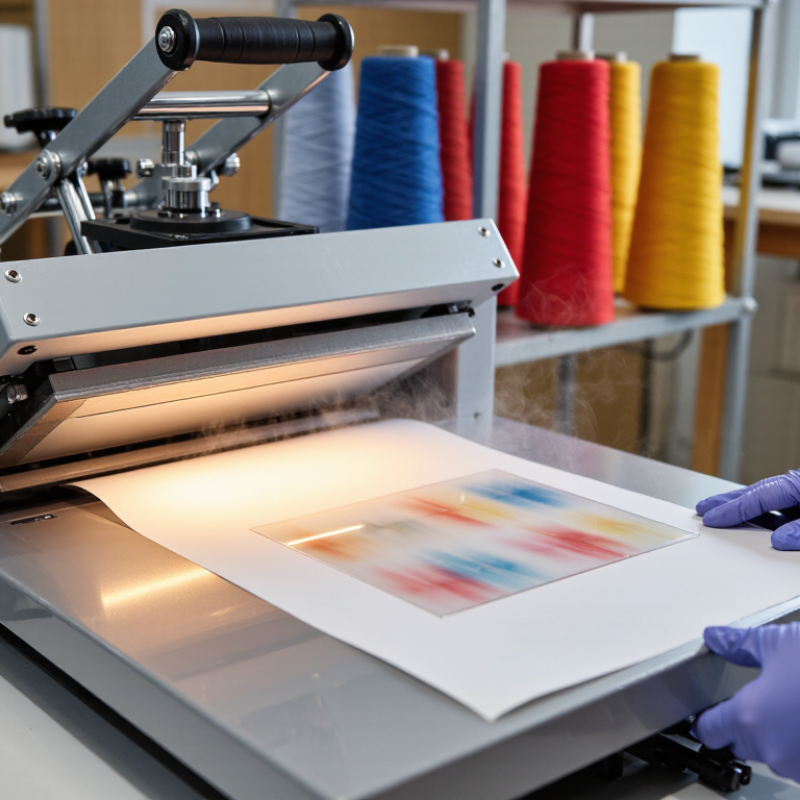
Meaning and Core Principle of Cold Sublimation Transfer Printing
What Is Cold Sublimation Transfer Printing?
Meaning and Core Principle of Cold Sublimation Transfer Printing
Cold sublimation transfer printing is a heat-based method for moving dye from printed transfer paper onto a suitable surface. The word “cold” can be misleading: heat is still essential. It usually describes when the transfer paper is peeled away—after the print has cooled. Terminology can vary, so check the paper’s instructions.
During pressing, heat turns sublimation dye into gas. The dye enters polyester fibers or a compatible polymer coating, then becomes trapped as the material cools. That is the key. Unlike a surface layer of ink, the color becomes part of the receptive material. This can produce a smooth feel, but results depend on the fabric, coating, pressure, and temperature. A slightly uneven press may leave pale edges or weak color.
Tips: Let the transfer cool before peeling, unless its instructions specify otherwise. Test a small swatch first. Keep the paper flat and avoid shifting it during pressing; even a small movement can blur fine lines.

What Is Cold Sublimation Transfer Printing?
Representative temperature checkpoints for a cold-peel sublimation transfer process
Sublimation transfer uses heat to turn dye into gas, allowing it to diffuse into polyester or a polymer-coated surface. “Cold peel” describes waiting for the transfer to cool before removing the paper—it does not mean the transfer happens without heat. Around 195°C is a representative press temperature; actual settings depend on the ink, material, and equipment.
Materials and Equipment Used in the Process
Cold sublimation transfer printing uses disperse dye printed onto coated transfer paper, then applied to a compatible surface with heat and pressure. “Cold” usually refers to cooling the transfer before peeling, not dyeing at room temperature. Peeling too soon can blur edges or create uneven color. The process works best on polyester fabric and polymer-coated items; untreated cotton does not reliably hold sublimation dye.
Materials include transfer paper, disperse-dye ink, and a polyester-rich substrate. Equipment typically includes a compatible printer, a flat or calendar heat press, protective paper, and tools for checking temperature and pressure. Textile Exchange’s Materials Market Report 2024 estimates that polyester made up 57% of global fiber production in 2023, from a total of 124 million tonnes. That figure shows polyester’s broad availability, not that every polyester fabric transfers equally well. Coatings, fabric construction, and press settings all affect the result.
Tips: Test a small swatch. Record time, temperature, and pressure, then change one setting at a time. Let the transfer cool fully before peeling. Even careful tests can disappoint; pale areas may come from uneven contact, not just weak ink.
Step-by-Step Workflow for Creating a Cold Sublimation Transfer
What Is Cold Sublimation Transfer Printing?
Step-by-Step Workflow for Creating a Cold Sublimation Transfer
Cold sublimation transfer printing uses heat to move sublimation dye from paper into a polyester surface or polymer-coated object. “Cold” describes when the paper is removed: after the transfer cools, not while it is hot. That timing can help reduce smearing and uneven edges.
Start by preparing a mirrored design and printing it onto sublimation paper with compatible ink. Let the print dry, then trim excess paper around the artwork. Check the blank for dust, moisture, or wrinkles. A quick lint-roll can help on fabric. Position the design face down, secure it with heat-resistant tape, and keep the substrate flat. Small shifts matter.
Set the press according to the substrate supplier’s guidance for temperature, pressure, and time. These settings vary, so test a small sample rather than guessing. Press the transfer, then move the item to a clean, heat-safe surface and let it cool fully. Peel the paper slowly. If it resists, wait longer; pulling too soon can blur fine details. Inspect the result under good light. A slightly dull first test is not always a printer problem; pressure, moisture, or the surface coating may be responsible. Record adjustments, but change one setting at a time.
Suitable Fabrics and Surface Requirements
Cold sublimation transfer printing is suited to fabrics that contain polyester and can withstand the required heat. The dye bonds with polyester fibers, so a high polyester content usually produces stronger, clearer color. A polyester-rich blend can work, but its colors may look softer. White or pale fabric is generally best because sublimation inks are transparent and cannot print white. Dark material may hide the design.
“Cold” refers to letting the transfer cool before peeling away the paper. Peeling too soon can blur fine edges or cause ghosting. It is easy to assume any smooth fabric will work; that is not the case. Cotton does not reliably accept sublimation dye unless it has a suitable coating, and results can vary. Test a small swatch.
For hard surfaces, use a flat item with a compatible polyester coating. The area should be clean, dry, and free from dust or oil. Even a tiny crumb can leave a pale spot under pressure. Curves, seams, and deep texture can prevent even contact, making color patchy. Check that the material can tolerate the press temperature, and test one sample before printing a full batch. Small tests matter. A coated surface may still shift the final color, so compare the pressed sample with your artwork under good light.
Key Benefits, Limitations, and Applications
Cold sublimation transfer printing uses heat to move dye from printed paper into polyester fibers or a polymer coating. “Cold” usually describes the peel: the transfer is allowed to cool before the paper is removed. The press still gets hot. That distinction matters when choosing compatible paper and following its recommended process.
One benefit is sharp, detailed color without a thick layer sitting on the surface. On suitable fabric, the image can feel smooth and remain flexible during wear. It also works well for repeat jobs, such as team shirts or small runs of polyester bags. Small text can reproduce clearly, provided the artwork and transfer settings are well prepared.
There are limits. Cotton alone does not bond with sublimation dye, and dark fabric can hide the colors. White or light-colored polyester is usually a better fit. Heat, pressure, and timing need control; too much heat can dull colors or mark the material. Cooling adds a little wait time. Not dramatic, but easy to overlook. Common applications include sportswear, flags, coated drinkware, and display fabrics. Test a sample first, since coatings and fabric finishes can affect the result.
| Topic | Details | Practical Considerations |
|---|---|---|
| What “cold” means | In this context, “cold” usually refers to a cold-peel transfer: the printed transfer paper is allowed to cool before it is removed. | The dye transfer itself still requires heat and pressure. It is not a room-temperature sublimation process. |
| How the process works | Sublimation ink is printed in reverse onto transfer paper, then heat and pressure turn the dye into a gas so it can enter a compatible polyester surface. | After pressing, the transfer is left to cool before the paper is peeled away. Follow the ink, paper, substrate, and heat-press instructions. |
| Key benefits | Dye becomes part of the polyester surface rather than forming a thick layer on top, which can produce smooth-feeling prints with fine detail and strong color. | The result depends on suitable materials, correct color management, even pressure, and controlled temperature and time. |
| Material compatibility | Best suited to white or light-colored polyester fabrics and products with a polymer coating designed for sublimation. | Untreated cotton and most natural fibers do not retain sublimation dye in the same way. Standard sublimation also does not print white ink. |
| Limitations | Dark substrates can obscure the dye, and results on fabric depend on polyester content. Heat can also affect sensitive materials or cause unwanted marks. | Test the specific substrate first. Use a protective sheet where appropriate and avoid stretching or shifting the transfer during pressing. |
| Cold-peel considerations | Cooling before peeling can help prevent smearing or transfer disturbance when the specified paper and process call for a cold peel. | Peel instructions vary. Some transfer papers are designed for hot or warm peeling, so “cold peel” is not a universal requirement. |
| Typical applications | Polyester sportswear, flags, banners, soft signage, and coated hard goods such as suitable mugs, panels, and photo products. | Hard goods need a compatible sublimation coating and a press or fixture suited to their shape. |
| Process control | Temperature, pressing time, and pressure vary by substrate and consumables; no single setting is suitable for every job. | Use the specifications for the materials being used, verify press temperature, and run a test before production. |

