
How to Choose the Best Finger Scan Door Lock
Choosing the best Finger Scan Door Lock means looking beyond a fast scan in a product demonstration. The right lock should recognize enrolled users reliably, fit your door, and offer practical access when the sensor or battery is unavailable. A fingerprint reader may feel effortless on a dry afternoon, yet respond differently to damp, dusty, or worn fingertips. Small details matter.
Start by checking sensor performance, enrollment steps, and the lock’s backup options. Does it include a keypad, physical key, or another trusted way to enter? Check battery alerts, emergency power provisions, and whether the deadbolt fits your existing door. These details affect daily use more than a long list of features. No model is perfect. A highly sensitive reader can still reject a finger occasionally, so clear instructions for adding fingerprints and managing users are useful. Look for a clear privacy policy, a reliable warranty, and support from the manufacturer. Independent testing or detailed user reports can help, but compare reviews carefully; installation quality and door alignment can influence results. Consider who will use the lock, too: children and older adults may need a simple backup method. This guide explains how to weigh convenience, security, durability, and cost, so you can choose a lock suited to your home rather than the flashiest one on the shelf.
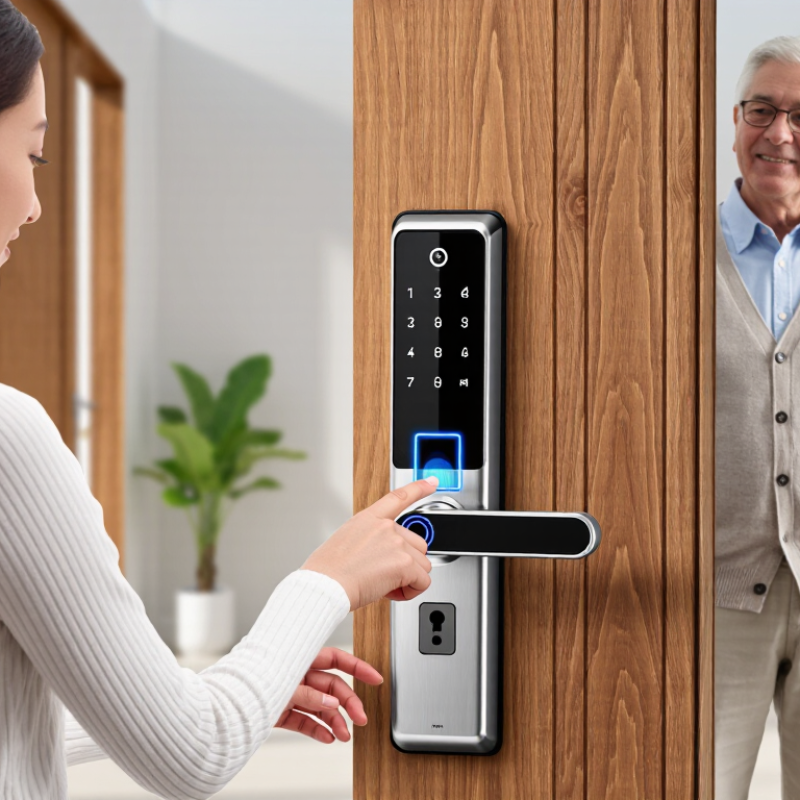
How Finger Scan Door Locks Identify and Store Fingerprints
A finger-scan lock does not usually compare your thumb with a saved photograph. Its sensor reads the ridges and valleys of your skin, then software extracts features such as ridge endings and branch points. During enrollment, you may scan the same finger several times at slightly different angles. The lock uses those samples to build a biometric template for later comparisons.
Not quite magic.
A dry, damp, or worn fingertip can produce a weaker scan, so a failed reading does not always mean the lock is defective. NIST’s Fingerprint Vendor Technology Evaluation (FpVTE) 2012 assessed 18 fingerprint-recognition algorithms, illustrating that matching performance can vary with the algorithm and test conditions. NIST’s SP 800-63B also gives a false-match benchmark of no more than 1 in 1,000 for biometric comparisons. That benchmark is guidance, not proof that every door lock meets it.
Most locks store a template rather than a usable fingerprint image, but storage methods differ. Some keep data inside the lock; others may use connected services. Check the product’s technical documentation for encryption, deletion controls, and whether fingerprint data leaves the device. A template still needs protection. That detail is easy to overlook. I’d also test several fingers during setup; convenience matters, but a single enrolled finger can become a frustrating weak point.

Assessing Security, Accuracy, and Privacy Features
A fingerprint reader is only one part of a door lock’s security. Check for encrypted fingerprint templates, tamper alerts, and a clear way to disable access after a credential is removed. A physical key or keypad can provide backup when the sensor fails or batteries run low. Keep that backup protected, too. A strong feature list matters less if the lock has no reliable update process.
Accuracy depends on real fingers, not ideal test conditions. Dry skin, small cuts, worn fingerprints, or damp hands may slow recognition. If possible, test the sensor with more than one finger and try it after washing and drying your hands. Fast unlocking feels convenient. Repeated failed scans do not. Check how many attempts trigger a delay, and whether the lock still works smoothly for children or older adults. The fit of the door and the sensor’s placement matter as well.
Privacy deserves the same attention as convenience. Find out whether fingerprint data stays on the lock or is sent to an online account, and whether stored templates can be deleted. Review what access records reveal and who can view them. A simple policy is easier to assess than vague claims. I would not assume local storage means perfect privacy; device security and software updates still matter. A small detail, but an important one.
How to Choose the Best Finger Scan Door Lock — Assessing Security, Accuracy, and Privacy Features
| Evaluation Dimension | What to Check | Strong Signs | Cautions | Suggested Weight |
|---|---|---|---|---|
| Lock and door security | Check the deadbolt, strike plate, mounting hardware, door fit, and any applicable independent security certification. Confirm what the certification covers. | Solid installation instructions, a reinforced strike area, and clearly documented test results or certification for the relevant lock hardware. | A fingerprint reader does not make a weak door, frame, or strike plate resistant to forced entry. A certification may cover only specific components or tests. | 25% |
| Fingerprint accuracy | Look for published false acceptance and false rejection information, together with the test method, sample conditions, and sensor type. | Performance data is clearly explained, and the manufacturer describes how the reader handles repeated scans and difficult reads. | Accuracy depends on the device, setup, and finger condition. Be cautious of accuracy claims that lack test conditions or use undefined terms such as “100% accurate.” | 20% |
| Spoof resistance | Check whether the lock describes liveness or presentation-attack detection and whether independent testing is available. | Specific, verifiable information about the detection method and the scope of any relevant testing. | A sensor label alone does not prove resistance to every imitation or attack. No single feature guarantees that a biometric system cannot be spoofed. | 15% |
| Biometric privacy and storage | Find out whether fingerprint data stays on the lock or is sent elsewhere, how it is protected, and how it can be removed. | Clear documentation of storage location, access controls, encryption where applicable, retention, deletion, and any data sharing. | Do not assume that “encrypted” means data is stored locally or that it is never transmitted. Review the privacy policy and app permissions. | 15% |
| Fallback entry and power failure | Check for alternative access methods, low-battery warnings, and the documented procedure for a depleted battery or lock malfunction. | A practical backup method is available and can be tested before installation; battery status and emergency procedures are clearly explained. | Confirm that the backup method suits your household and that it does not create an easier route for unauthorized entry. | 10% |
| Enrollment and user management | Review the process for adding, naming, and deleting fingerprints, and check whether access can be revoked without resetting the entire lock. | Authorized users can be managed easily, and lost or removed users can be deleted promptly. | Check any limits on stored fingerprints and whether administrator access is protected from casual changes. | 5% |
| Software updates and connected features | If the lock connects to an app or network, check update availability, account security, connectivity requirements, and support commitments. | Updates and security practices are documented, and core entry requirements are clear when internet or app access is unavailable. | Connected features add accounts and software to the security picture. Confirm which features require a network connection or subscription. | 5% |
| Weather and installation suitability | Check the lock’s stated operating conditions and suitability for the door location, exposure, door thickness, and handing. | Specifications match the intended installation, and the instructions address the door type and environmental conditions. | Do not infer outdoor durability from appearance alone. A lock suitable for a sheltered entrance may not suit direct exposure to weather. | 5% |
How to use the weights: These percentages are an illustrative comparison framework, not measured product ratings. Adjust them to fit your door, household, and privacy requirements, and compare models using documented evidence rather than feature claims alone.
Checking Door Compatibility and Installation Requirements
Before choosing a fingerprint door lock, check the door itself, not just the product photos. Measure its thickness and the distance from the door edge to the center of the existing lock hole. Compare these measurements with the lock’s installation template. Small differences matter. Also check whether the door swings inward or outward, and whether the handle or nearby wall could obstruct the scanner or keypad.
Look at the lock type already installed. A single-cylinder deadbolt is often easier to replace than a mortise lock or multipoint system, which may need a different mechanism. Check the door material and frame condition, too. A loose strike plate or a door that rubs against the frame can prevent the bolt from moving smoothly. Try locking the door with it open, then closed; resistance when closed may point to an alignment issue. Don’t force it.
Review the required tools, wiring, and power setup before buying. Some models use batteries, while others may need additional components or a suitable power connection. If drilling is required, confirm that the door has enough clear space and that you can follow the supplied template accurately. I would not assume an old hole will line up perfectly. It often almost does, which can make installation more frustrating. If the door is unusually thick, glazed, or part of a complex locking system, ask a qualified installer to assess it first.
Comparing Power Options, Backup Access, and Smart Features
How to Choose the Best Finger Scan Door Lock
Power and backup access deserve as much attention as fingerprint speed. Battery-powered locks are easier to install, but check how they warn you before power runs low. A clear alert gives you time to replace the batteries; a tiny indicator can be easy to miss. If the lock supports emergency power, learn where its connection sits and whether you can reach it from outside. Keep a permitted backup key somewhere secure, not beside the door.
Tips: Test the lock with dry and slightly damp fingers, since readings may vary. Confirm that every household member can register a fingerprint comfortably. Keep backup access available, and check the battery status on a regular schedule.
Smart features can add useful control, such as temporary access codes or alerts when the door opens. They may also rely on Wi-Fi, a phone, or a separate hub, so check what still works during an outage. A remote alert is helpful, but it does not prove the door is locked. Look for clear status updates and a simple way to manage saved fingerprints. More features can mean more settings to maintain; it is easy to overlook one. Choose functions you will actually use.
How to Choose the Best Fingerprint Door Lock
Compare power options, backup access, and smart features before choosing a lock.
Typical nominal voltage (volts): AA alkaline cells are rated at 1.5 V per cell, lithium-ion cells at about 3.7 V, and standard USB power at 5 V. These are different power sources, not direct measures of battery life or compatibility. Check the lock’s instructions for supported batteries and emergency-power input. For backup access, look for options such as a physical key or external power connection; app, Wi-Fi, and Bluetooth features vary by model and can affect battery life.
Choosing a Lock for Your Budget and Everyday Needs
Set a budget by considering the full cost, not just the lock’s shelf price. A fingerprint lock may need compatible batteries, a suitable door thickness, and occasional maintenance. Check the manufacturer’s fitting range against your door measurements before buying. A narrow budget can still work well. Prioritize reliable fingerprint reading, a backup entry method, and clear low-battery alerts over decorative features. If several people use the door, check how many fingerprints it can store and whether adding or removing users is straightforward. That detail matters when a housemate moves out.
Think about your daily routine. Wet or dusty hands may affect fingerprint readings, so check the care instructions and return policy. Keep a backup method accessible, but not in an obvious hiding place. For a rental or shared home, confirm installation will not require changes you cannot reverse. Compare battery costs and setup effort, too; they are easy to overlook. Not every feature matters. Choose a lock that opens dependably on the door you actually use and costs little enough to maintain.

